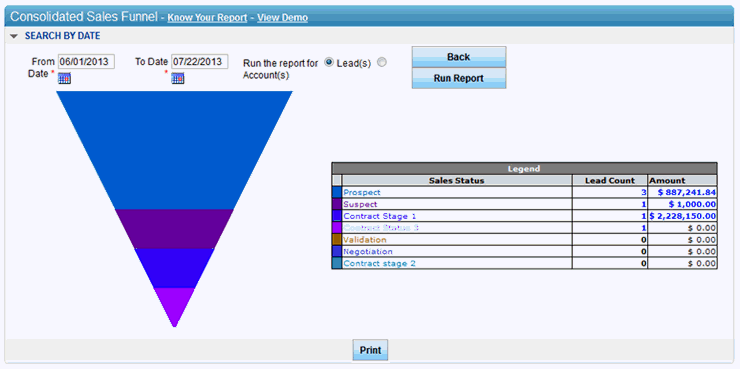
The Consolidated Sales Funnel
report summarizes and displays number of leads and the consolidated sales
revenue from leads in a particular pipeline status for all lead owners
in the hierarchy. The generated sales orders form the basis for the revenue
in the report.
The sales funnel is
divided in proportion with the number of leads assigned to a particular
pipeline status and each proportion is assigned the pipeline status color.
Notes:
•
As a user clicks the lead count number or its corresponding sales
funnel color, the system filters all leads
and displays in the My Active Leads page.
•
As a user clicks on a sale amount, the system displays a break
up of the revenue amount that includes (1) Sales person name,
(2) company name, (3) type, (4) date, (5) product, (6) amount,
(7) total amount for each sales order and, (8) grand total
of all sales order for the leads in the pipeline status.
To generate Consolidated
Sales Funnel report:
1. Enter from
date.
2. Enter to
date.
3. Select leads
if you want to run the report for leads OR Select accounts
if you want to run the report for accounts.