[ View Demo]
Leads are classified into appropriate groups, known as List, depending upon the customer segment or the market to which they cater to. For example, you can specify List, such as manufacturing and place all leads which are into the manufacturing industry into that List.
A sales person can create one or more List and each List can have multiple leads.
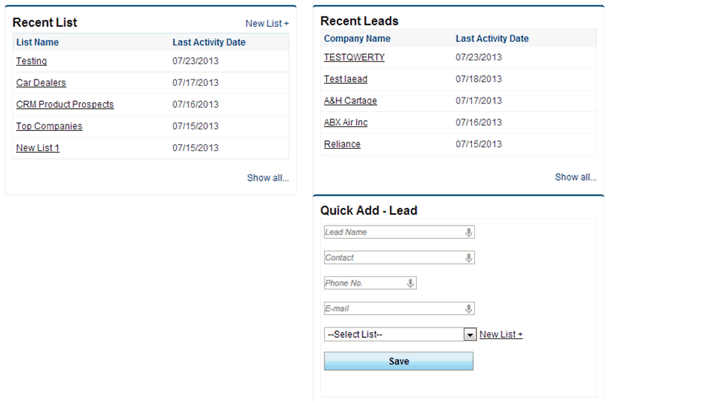
There are multiple pages from where a sales person can create a list.
1. From Leads main page, in recent list section.
2. From Leads main page, in Quick add lead section.
3. From ‘Show list of leads’ page under lead management, under lead menu.
To Create a List:
1. Click on ‘Add new’ button on ‘Show list of leads’ page under lead management, under lead menu.
Or,
Click on ‘New List +’ in recent list section Or Quick add lead section on Leads main page.
2. Enter List Name in the text box.
3. Click on save button to save the list.
Notes: You can rename a list from ‘Show list of leads’ page under lead management, under lead menu.
Copyright 2000-2009 pmamcrm.com Web-based Customer Relationship Management (CRM)