Reports >> Corporate
Goal Matrix
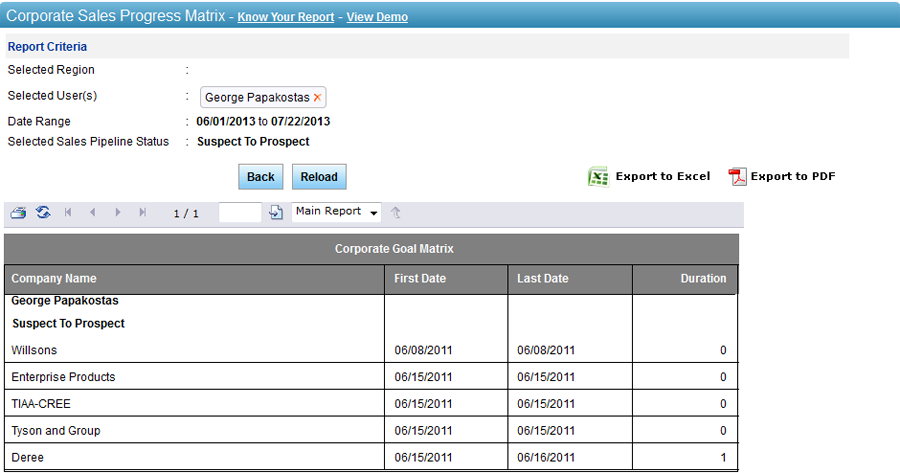
The Corporate Goal Matrix report assists in calculating number of days taken by a lead to move from one pipeline status to the other. This report can be generated for a selected date range and users in the hierarchy. The report displays (1) the company name, (2) first and last date in the selected pipeline status and, (3) the total duration. This report can be exported to an MS Excel and a .PDF file.
To generate Corporate Goal Matrix report:
1. Select user(s) from the hierarchy. You can also select a region, if you want to select user(s) from specific region.
2. Select Date Range.
3. Select Status(s) from the list.
4. Click on Submit.
5. Click on  icon to
view the report in an MS Excel sheet.
icon to
view the report in an MS Excel sheet.
OR, Click
on  icon view the report in a .PDF file.
Related Links:
Copyright 2000-2009 pmamcrm.com Web-based Customer Relationship Management (CRM)
